This short Article is in addition to my Pockethernet V2 Review I posted last year December.
At the time of writing the original Article there was a announced BER Loop Adapter and ID Plugs but not available at that time.
Now some time later this changed and I clicked them in the official Pockethernet store.
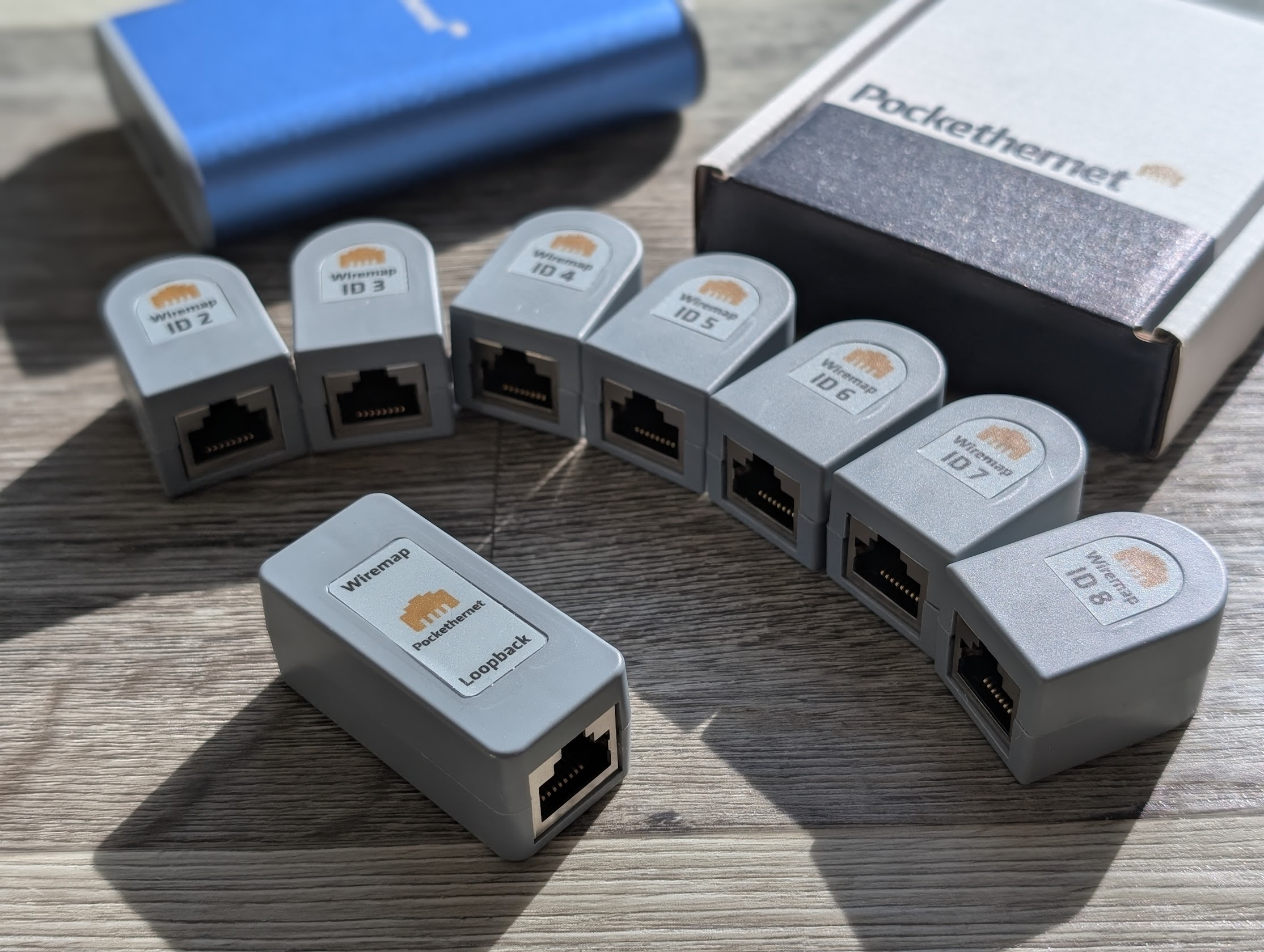
Brief preface; I am neither sponsored by Pockethernet nor have I received anything for free; everything here was purchased by me through normal means and is in regular use by myself.
BER Test Dongle
Unlike the Pockethernet v2 Wiremap terminator which came with my Pockethernet V2 the BER Test need a new dongle which is slighly larger and offer a RJ45 port on both sides. Currently this v2 dual Terminator is available for about 19€ in the store.
But what is BER at all?
BER stands for Bit Error Rate, it measures how many bits are received incorrectly compared with the total number of bits sent over a link. It is used to check the reliability of a connection is by sending a known data pattern, then comparing what arrives to count errors. No or very low BER means a healthy link, while a higher BER points to issues such as noise, bad cabling, faulty termination. In practice, some people may also say BERT, which refers to the Bit Error Rate Test or the Bit Error Rate Tester. This is where the famous LAN-Bert naming for most testers comes from :)
How is it implemented in Pockethernet ?
Actually very straight forward. The Adapter have two sides, pockethernet them self write:
With the RJ45 connectors, one for Wiremap and one for the Error rate test.
The loopback end provides a passive loopback which works for cables of up to 50m / 160ft in length.
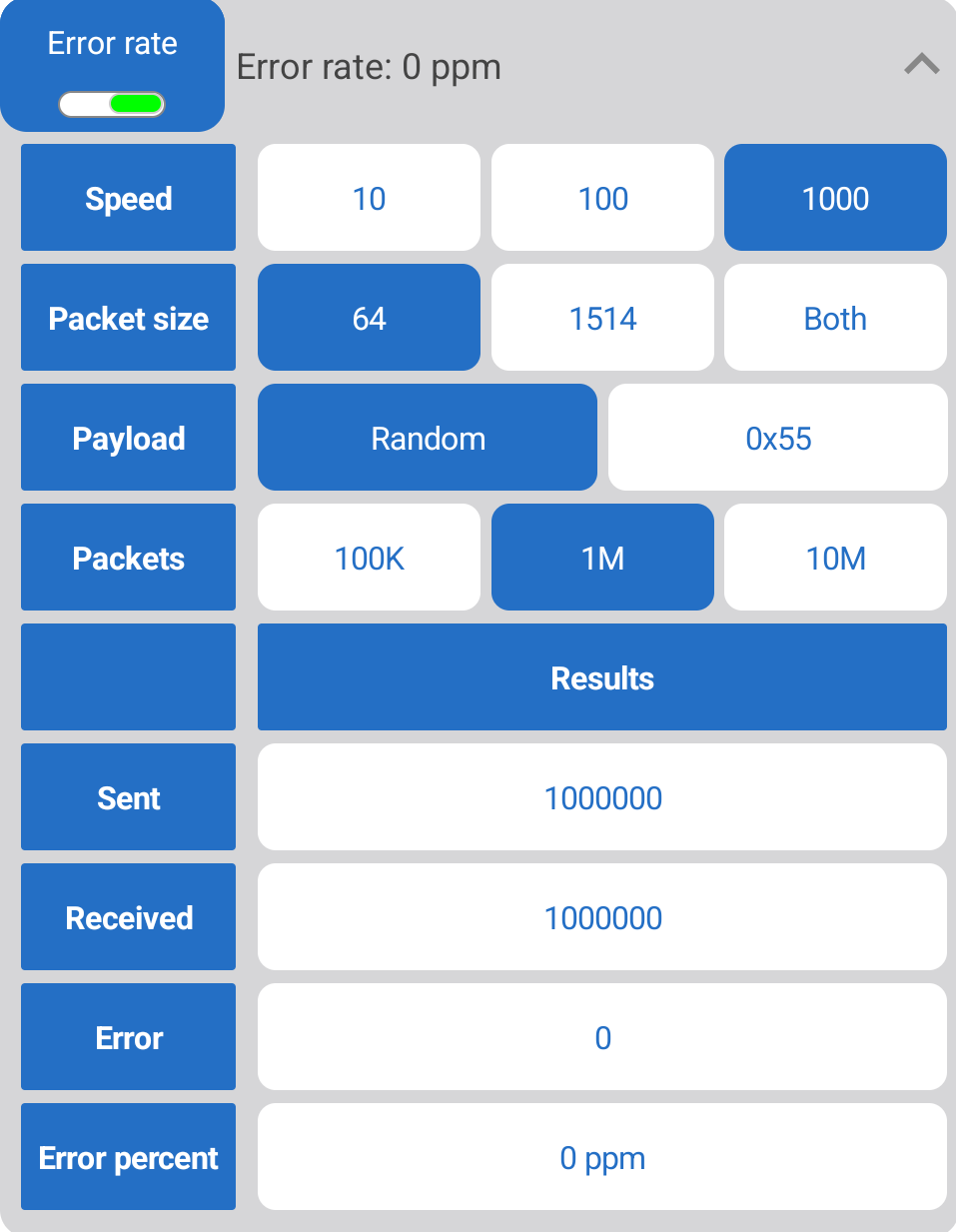
In the v2 App you find a section “Error Rate” which can be selected as test. Inside you have to chose Speed, Packet size, Payload and Number of Packets to send.
Testing for BER requires you to connect the pockethernet to the Loopback Dongle (You can see the picture at the beginning of the post) after starting the test it might take some time depending how many Packets you selected. A good starting point here is 1M packets which will still be done in under 1 Minute.
Here you see a screenshot of a succesful test as it should be, Zero Errors found. This was just on my desk with a 3m cable, I would be surprised if it showed anything else. In Real life you want to use BER to test flappy or questionable joined connections on some old whacky patchpanels while walking around nearby a bit. Yeah, I had that case already, a connection which errors everytime somebody walk past the rack.
ID Dongels
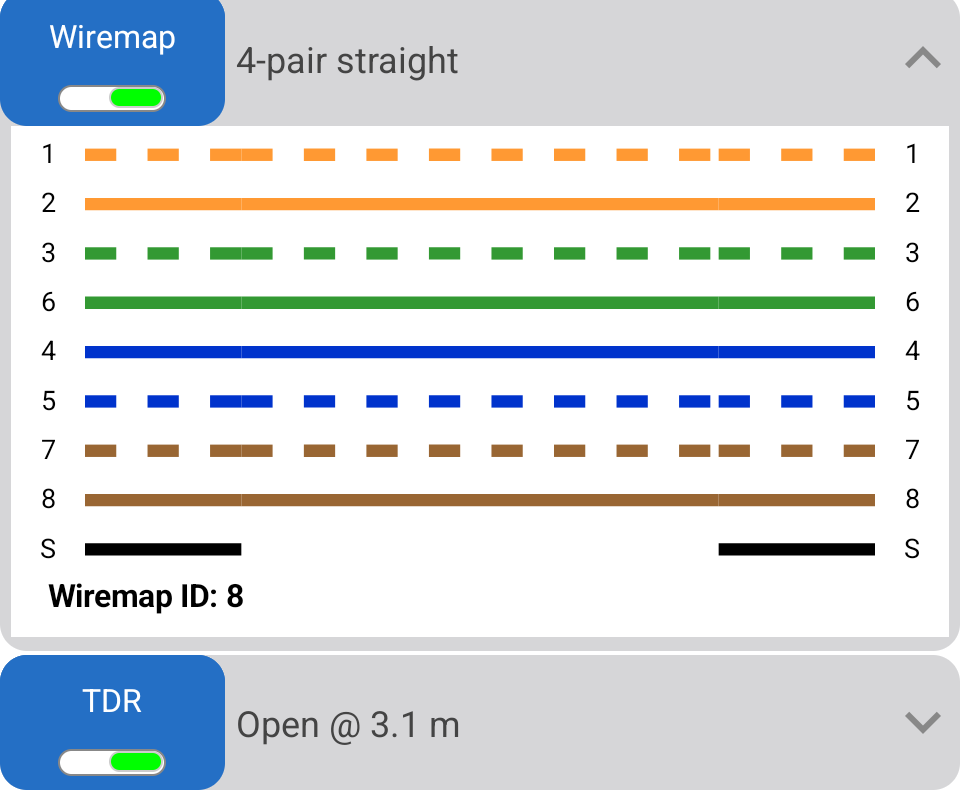
ID Dongles or Wiremap Identifiers are the other small siblings you see on the picture at the top. Those are like on most little better network testers IDs to tracing ports. Basically you plug 1-8 in ports X-Y on the patchpanel in the IDF and check on the other side where you find which one. Beside giving you just an ID it will run a full Wiremap and can tell you with TDR how long the cable is and if it is straight or some funky termination approach.
Not much I need to Explain I think, it is straight forward and most of you should have worked with similar equipment to know whats the deal. Here is a screenshot how the ID (# 8 in my example) is found:
The Pack includes 2-8, for ID 1 you can use the one you received with the pockethernet unit itself or you can also use the BER Dongles wiremap end. Compared to the BER dongle, the ID pack is a bit expensive if you’re being stingy. It is about 129€ which makes it ~18 € per probe. Considering it is not only a stupid resistor which cant to a wiremap it is still not cheap but ok for me often working with it. You can also find this set on their official store.
Conclusion
Why should I ramble on, it’s a solid device, it’s saved me a lot of time already.
As wrote in my original Review of the pockethernet v2, I did not liked the v1 but this one is with Bluetooth LE just so timesafing and really a thing you just have with you in the “pocket” or rucksack in my case.
Thumbs up, worth the €€€.
Comments
With an account on the Fediverse or Mastodon, you can respond to this post. Since Mastodon is decentralized, you can use your existing account hosted by another Mastodon server or compatible platform if you don't have an account on this one. Known non-private replies are displayed below.