What is Karakeep?
Well, I’ll write an extra blog article about it soon, so in short: It’s a self-hosted open-source bookmark manager with a cloud-hosted option available. I work on multiple devices and browsers, and the integrated browser bookmark management is not ideal for my workflow. Karakeep (formerly named Hoarder) solves this problem and adds lots of useful features, such as an actual page summary, allowing me to use it not only as a bookmark manager, but also as a replacement for my “read it later” list.
What the Kara-Tiles Addon does?
Well may but a video on later but for now a short Screenshot says more than 1000 words.
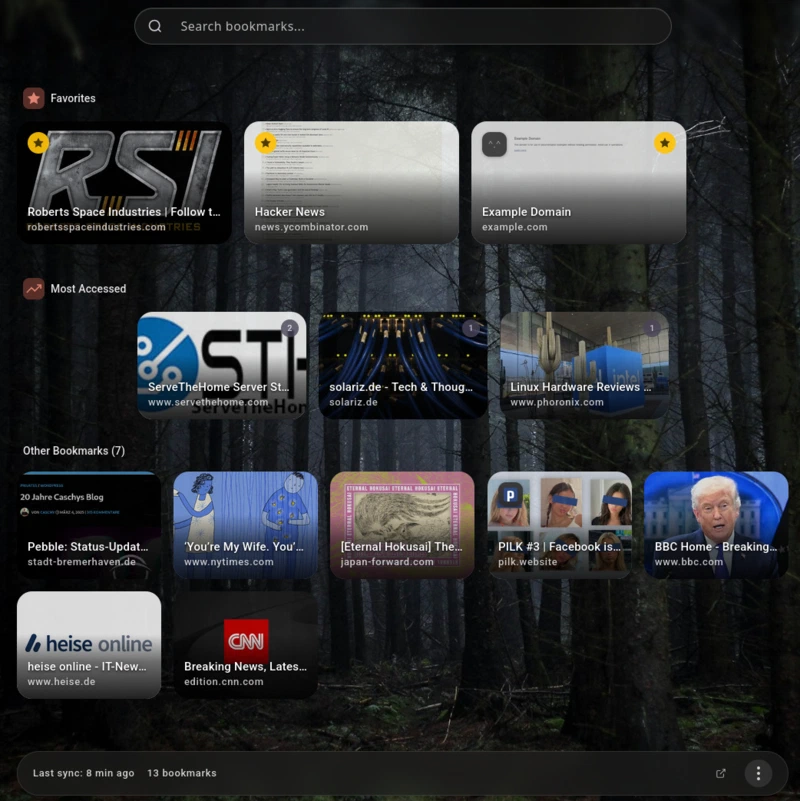
To Explain a bit; It access your Karakeep Bookmarks via API, cache them in your browser local storage and display a nice “old style Tiles” overview with added features like: Offline Fuzzy Sarch, Tag and domain Filters, hotkeys, favorite Bar and most used.
Availability
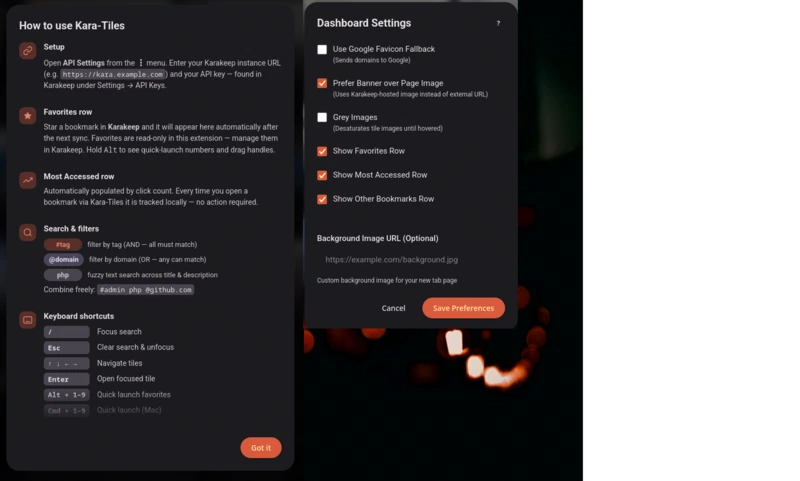
Options and How to use?
After Installation you need to enter your Karakeep instance URL as well as an API Key; This Key you can get in your Karakeep user settings > API.
What next
I work with the extension everyday in all of my browsers, so be sure there will be updates to improve usability further. Nothing huge featurewise in my mind right now, I love the Principle of an Programm or extension fullfilling one purpose good instead of doing everything but mediocre.
If there is anything bothering feel free to leave me a comment below this Article. I will use this Blog Post as “Extension Webpage” Link and may update it from time to time.
Kara-Tiles Changelog
I try to keep a small changelog here:
- 0.0.6 22 Feb ‘26 - First Firefox Build, grayscale images, better tag search
- 0.0.5 21 Feb ‘26 - Tiny bug fixes and UI Improvements
- 0.0.4 20 Feb ‘26 - First iteration published in chrome extension store
Comments
Nothing is loaded from external services until you click.
With a Fediverse or Mastodon account you can reply to this post. Replies from any compatible server are shown below once loaded.
Mastodon replies
Web mentions
Leave a comment
Reply to this post on Mastodon and your reply will show up here.