signal on Linux offer the way to store your encryption key in your system walled (encrypted) or local as plain-text unencrypted. Actually if you use a full disk encryption a clean text key isn’t a huge issue. But nevertheless to give it a bit more secure feeling I wanted to use KWalletD to store the signal key encrypted.
Signal now even prompt you with a question if you want to do so or not. So easy I thought, quickly enabled it; But to verify I took a look at the logfile and found; It is actually trying to use kwallt6 but can’t.
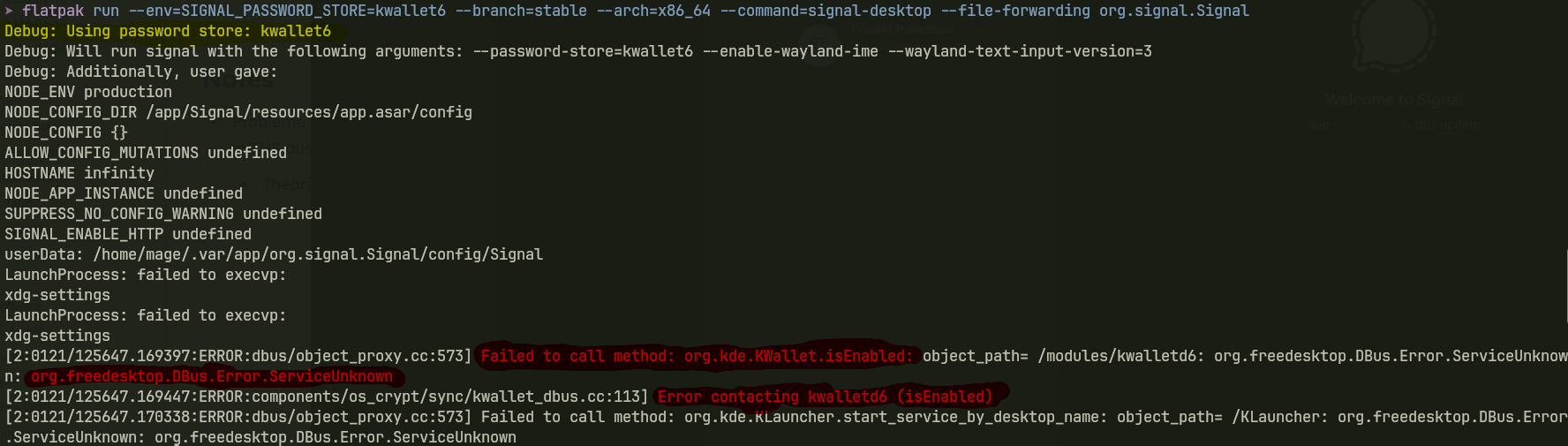
The problematic Log
The Ugly is; if you dont look at the logs and config, you actually never know if it is encrypted or not. There is no Warning in the GUI that it couldnt save encrypted key or access kwallet :(
@Signal Why not display an warning as banne or before login?
Debug: Using password store: kwallet6
...
[2:0121/125647.169397:ERROR:dbus/object_proxy.cc:573] Failed to call method: org.kde.KWallet.isEnabled: object_path= /modules/kwalletd6: org.freedesktop.DBus.Error.ServiceUnknown: org.freedesktop.DBus.Error.ServiceUnknown
[2:0121/125647.169447:ERROR:components/os_crypt/sync/kwallet_dbus.cc:113] Error contacting kwalletd6 (isEnabled)
[2:0121/125647.170338:ERROR:dbus/object_proxy.cc:573] Failed to call method: org.kde.KLauncher.start_service_by_desktop_name: object_path= /KLauncher: org.freedesktop.DBus.Error.ServiceUnknown: org.freedesktop.DBus.Error.ServiceUnknown
[2:0121/125647.170350:ERROR:components/os_crypt/sync/kwallet_dbus.cc:82] Error contacting klauncher to start kwalletd6
[2:0121/125647.171088:ERROR:dbus/object_proxy.cc:573] Failed to call method: org.kde.KWallet.close: object_path= /modules/kwalletd6: org.freedesktop.DBus.Error.ServiceUnknown: org.freedesktop.DBus.Error.ServiceUnknown
[2:0121/125647.171103:ERROR:components/os_crypt/sync/kwallet_dbus.cc:408] Error contacting kwalletd6 (close)
Check it…
You can check yourself by opening your signal user dir, normal something like:
/home/username/.var/app/org.signal.Signal/config/Signal
There you should find a config.json, if inside you find "key": "12345678...." variable you know it’s not using the system wallet.
A good config should have only "encryptedKey": "....." not key.
I hope in the future Signal automatically remove the plaintext key if a valid encrypted one is found on startup.
Reason and fix…
The Problem is acutally caused by the default flatpak permissions of Signal. To communicate with KwalletD it need Session bus access but this permission is missing in the default flatpak settings. To enable it go to your Settings > Application Permissions > Flatpak > Signal and enable session bus access:
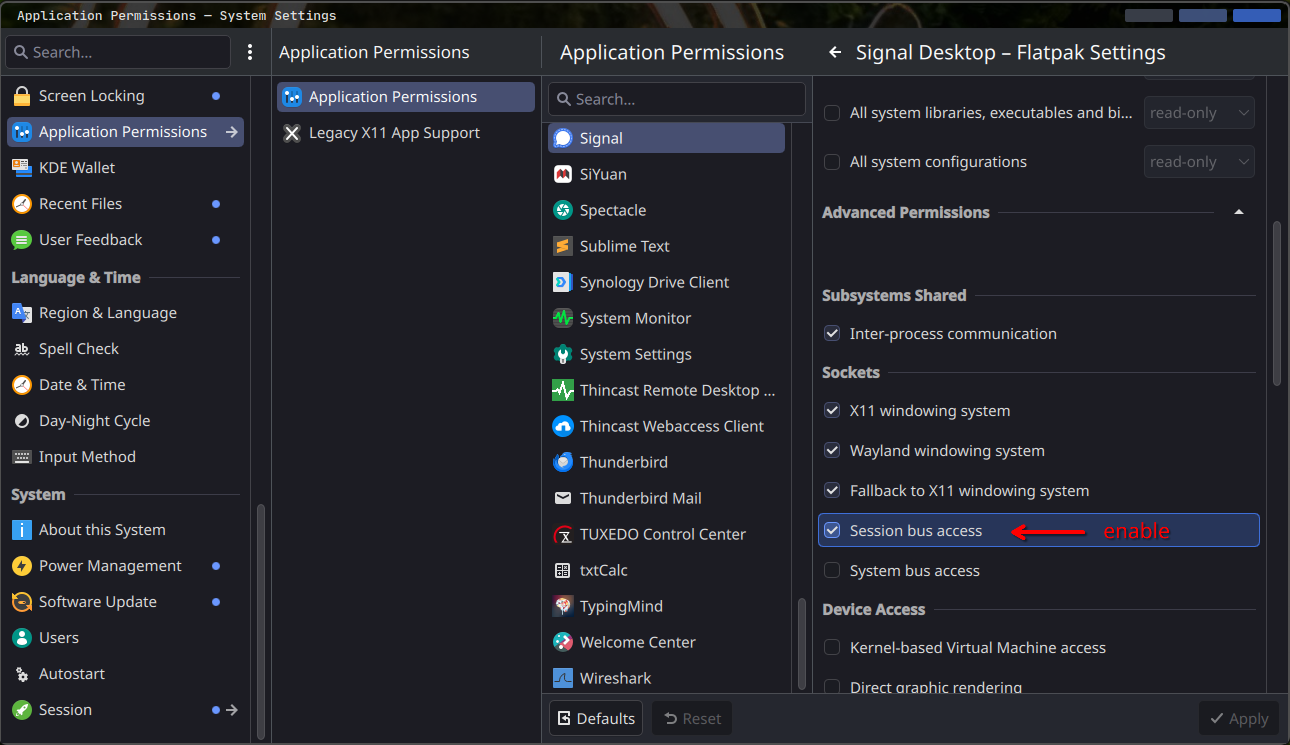
Afterwards restart signal in the terminal and it should not show those errors from before. Finally close signal again and remove the plaintext key variable from the config file mentioned above.
Now you should be good.
Remember; Kwallet also does not protect you from people having access to your computer. If someone have full access to your device no key / password is save. So always lock your Screen !
Comments
With an account on the Fediverse or Mastodon, you can respond to this post. Since Mastodon is decentralized, you can use your existing account hosted by another Mastodon server or compatible platform if you don't have an account on this one. Known non-private replies are displayed below.