One particular painful experience I had under MacOS was that it seems not to be possible with on-board settings to configure which program / action should be used on execution of a Link.
Similar as you would choose a default Browser or Email app, this is needed for far more than just the browser.
e.g.:
- open
mailto://links withoutlook - open
ssh://links withkitty-term - open
ftp://withtransmission
and so on…
As usual on Mac - you have to do this the manual way - as a short howto save I wrote down how:
PrefPane: SwiftDefaultApps
Prerequisite: you have Homebrew installed. Then execute:
brew install swiftdefaultappsprefpane
(source: github.com/Lord-Kamina/SwiftDefaultApps)
Afterwards run this in a Terminal:
appDir="/Library/PreferencePanes/SwiftDefaultApps.prefPane/Contents/Resources/ThisAppDoesNothing.app"

if ! [[ -d "$appDir" ]]; then appDir="$HOME/$appDir"; fi

# Remove quanrantine flag
xattr -d com.apple.quarantine "$appDir"
# Open the app
open "$appDir"
Done - Ready to set via UI
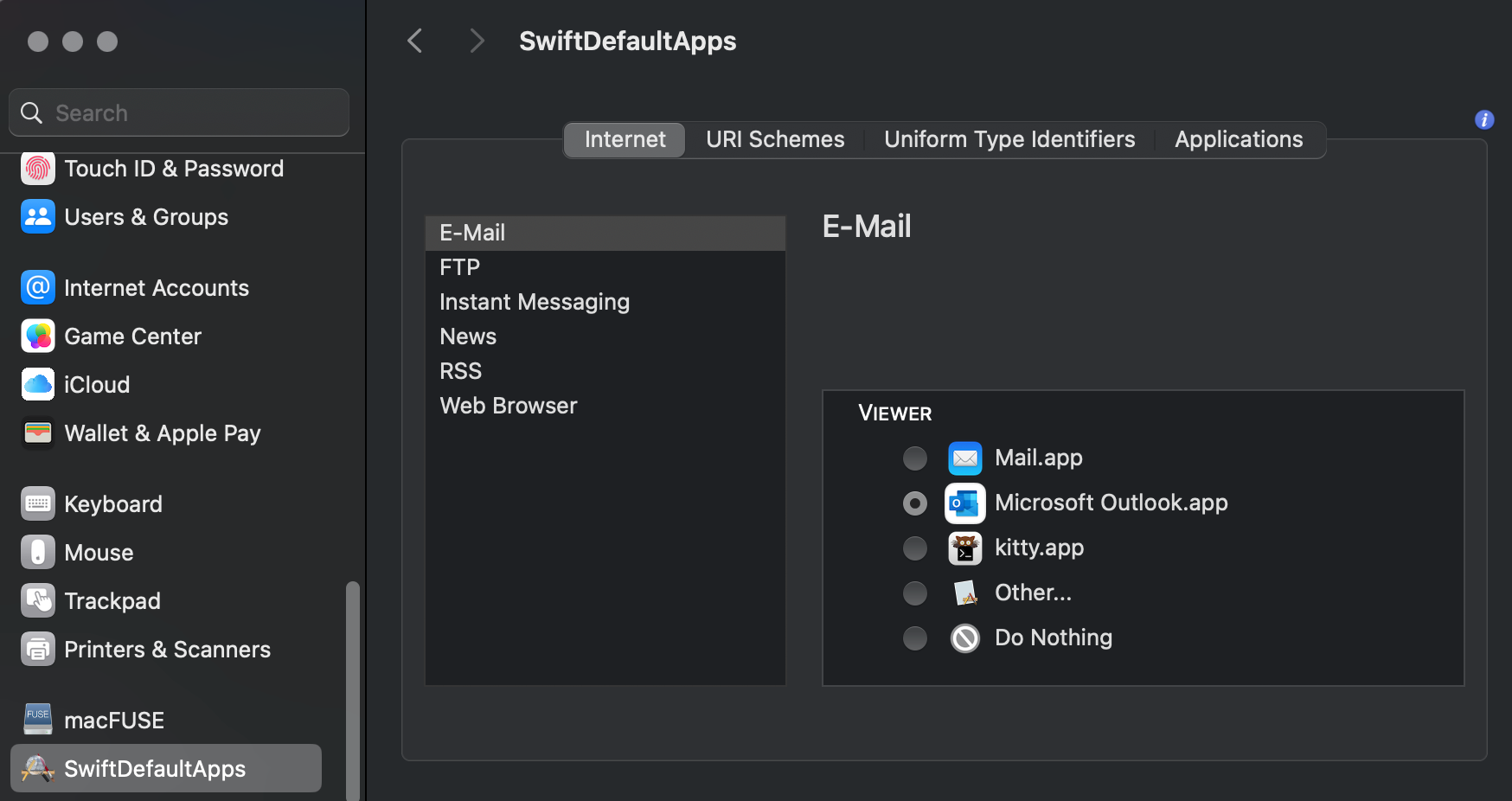
After succesful installation you will find the option SwiftDefaultApps in the System Settings:
Comments
Nothing is loaded from external services until you click.
With a Fediverse or Mastodon account you can reply to this post. Replies from any compatible server are shown below once loaded.
Mastodon replies
Web mentions
Leave a comment
Reply to this post on Mastodon and your reply will show up here.